 (925) 293-3313
That sinking feeling in your stomach is all too familiar for any eBay seller: you’ve just received negative feedback. It can feel like a personal attack and a direct threat to your business. Before you panic or fire off an angry reply, take a deep breath. You have several professional and effective ways to handle the situation.
Navigating eBay’s feedback system can be tricky, but understanding your options is the first step toward protecting your seller reputation. This guide will walk you through the three primary strategies for dealing with negative feedback: requesting removal from eBay, asking the buyer for a revision, and crafting a public response.
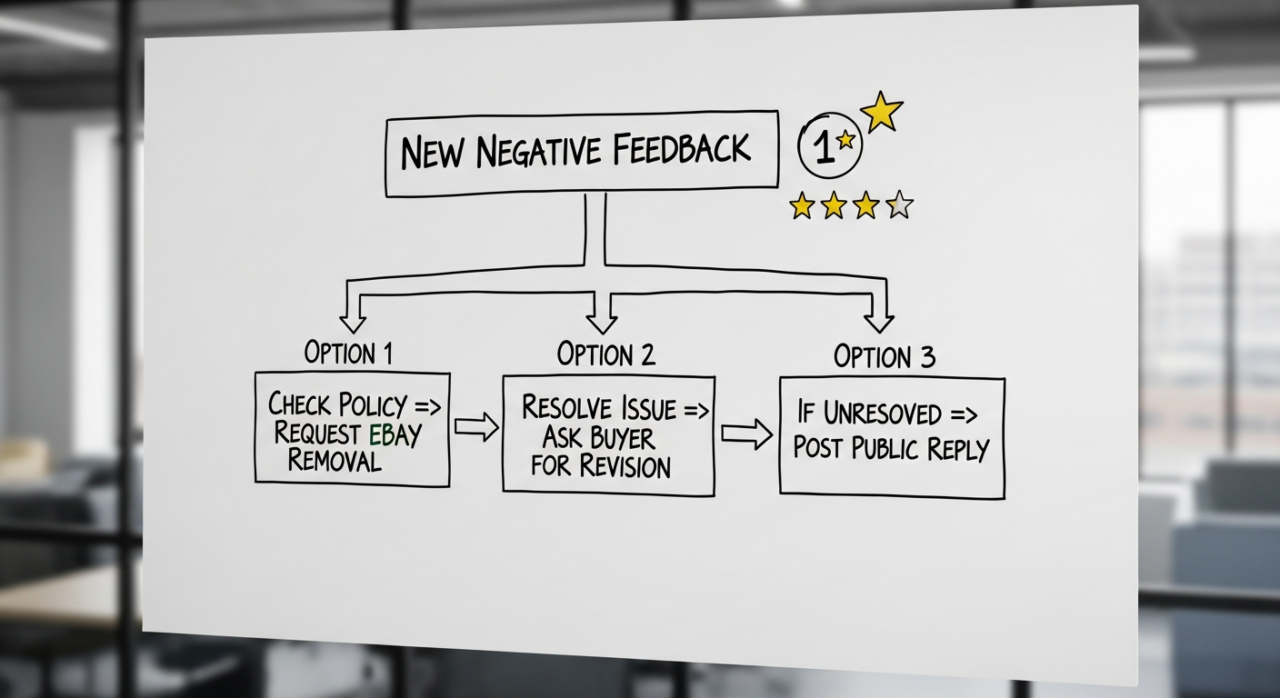
1. Ask eBay to Remove the Feedback
Your first and best option is to see if the feedback violates eBay’s policies. If it does, eBay will often remove it for you, no buyer interaction required. You have 90 days from the transaction date to make a request through eBay’s Seller Help portal.
eBay will typically remove feedback, sometimes automatically, for the following reasons:
Abusive or Inappropriate Language: The feedback contains profanity, threats, hate speech, defamatory statements, or any other obscene or violent content.
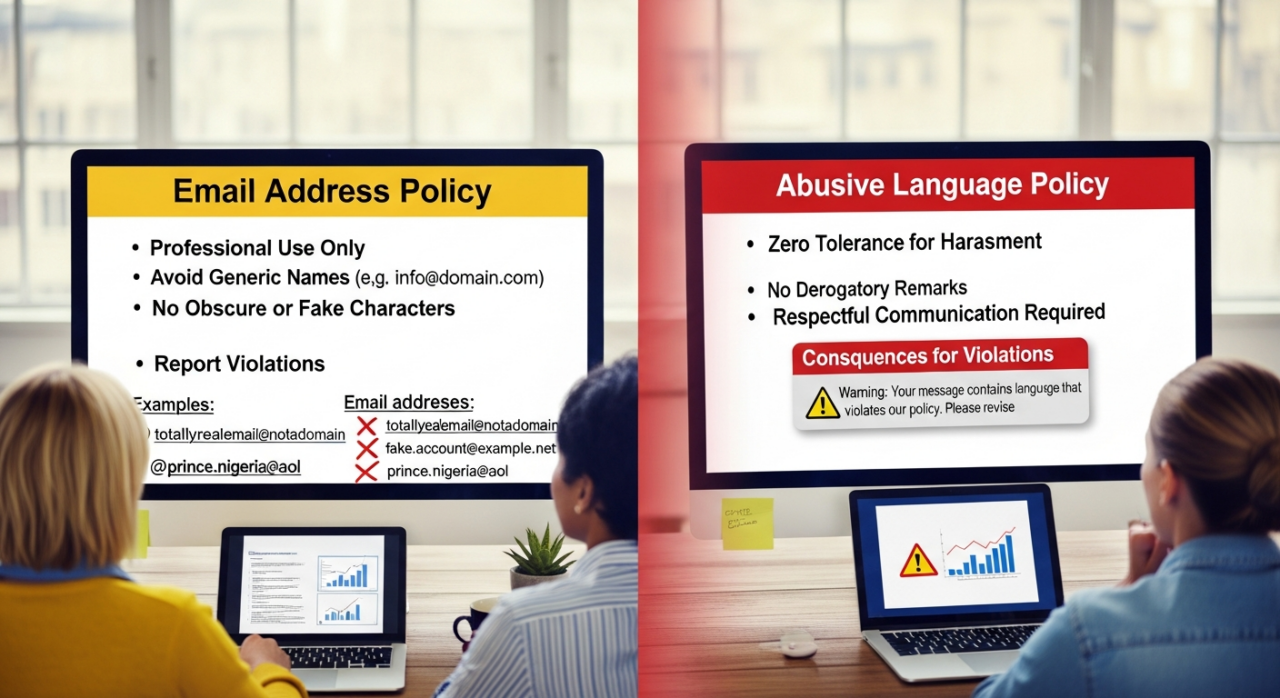
- Reveals Personal Information: The buyer included your name, address, email, or phone number in their comment.
- Feedback Extortion: The buyer threatened you with negative feedback to get something that wasn’t part of the original purchase, like a partial refund or an extra item.
- Irrelevant Content: The comment is purely a product review rather than a review of you as a seller. It might also be a comment that was clearly meant for a different seller or contains nonsensical text.
- Buyer-Initiated Issues: The feedback can be removed if the buyer asked to cancel the order, the sale was canceled for non-payment, or the item’s condition was accurately described in the listing (e.g., pointing out a flaw you already disclosed).
- Shipping and Delivery Proof: You can get feedback removed if tracking information shows the item was delivered on time. It may also be removed for issues outside of your control, such as a documented delay from a natural disaster or problems with customs processing.
2. Send a Feedback Revision Request to the Buyer
What if the feedback is negative but doesn’t technically violate any rules? If you have resolved the underlying issue with the buyer and they are now satisfied, you can formally ask them to change their rating. This is done by sending an official “Feedback Revision Request.”

Keep these critical rules in mind:
- You Have Limits: Sellers are generally limited to five revision requests per calendar year. For every 1,000 feedback ratings you receive in a year, you may be granted an additional five requests.
- Act Quickly: You must send the revision request within 30 days of the original feedback being posted.
- The Buyer Has 10 Days: Once you send the request, the buyer has 10 days to respond. eBay will send them a reminder after seven days. If they don’t respond, the request simply expires.
- Never Trade a Solution for Feedback: This is the most important rule. It is a serious policy violation to make a refund or other solution dependent on the buyer changing their feedback. You should absolutely work to resolve the customer’s problem first. Once they are happy, you can then send the revision request as a separate, polite follow-up.
3. Respond Publicly and Professionally
If eBay won’t remove the feedback and the buyer is unwilling or unresponsive to a revision request, you have one final option: post a public reply. This will not change the rating, but it allows you to tell your side of the story for all future buyers to see. Your reply will appear directly below the buyer’s comment.

When you choose this path, remember that your response is permanent and cannot be edited. The goal is not to win an argument but to demonstrate your professionalism and excellent customer service to potential customers.
Follow these best practices for your reply:
- Be Professional, Not Personal: Avoid emotional, defensive, or accusatory language.
- Be Factual and Brief: State the facts of the situation clearly and concisely. For example, “We’re sorry for the delay. Tracking confirms this item was shipped on [Date] but experienced a carrier-side delay.”
- Accept Responsibility Where Appropriate: A simple, “We apologize for the error and have since updated our process,” can go a long way in showing accountability.
Ultimately, a single piece of negative feedback is not the end of your eBay career. By handling it strategically and professionally, you can mitigate the damage, learn from the experience, and show future customers that you are a trustworthy and responsible seller.
Ready to Grow on Amazon?
At EHP Consulting Group, we help sellers rank higher, sell more, and scale faster.
👉 Contact us to audit your Amazon strategy
👉 Learn more about our full Amazon account management services
YouTube Channel Link: EHP Consulting Group on YouTube
TikTok Profile Link: EHP Consulting Group on TikTok
Written By: Jhan Rose Magbanua
Email: [email protected]
Website: http://www.ehpconsultinggroup.com
Number: 925-293-3313
Date Written: Mar 8, 2026