
 (925) 293-3313
You can ask Amazon for a phone call about a suspended account, and it is worth doing. The call can help you understand the notice, but Amazon’s own help page on appealing a deactivation sends you to the appeal you submit in Account Health for reinstatement, and the answer arrives by email.
Here is what the call can do, what it cannot do, and what to do first.
How to request a callback when your account is suspended
Amazon’s help pages do not give sellers a phone number to call. They describe a callback. You press a button in Seller Central, enter your own phone number, and a specialist rings you.
The button is called Contact Us. It sits in the “Need help?” box on the Account Health page. Amazon says every professional seller has it, and that it is also in the Amazon seller app. The team is available seven days a week, and the hours shown depend on your time zone and language.
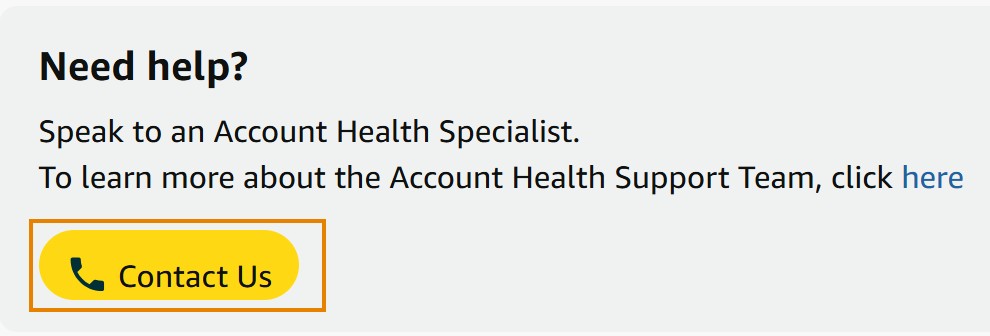
Menu names move. Seller Central is mid-redesign, so if the box looks different on your screen, look for the nearest match.
A suspended account is the case we could not test. The account we looked at is active, so we cannot say what your page shows. Amazon says the link to start an appeal, “Reactivate your account,” sits at the top of the Account Health page.
What the call can do
Amazon calls this group Account Health Support. Its help page says the specialists can:
- walk you through the Account Health page and your metrics
- explain Amazon’s policies
- help you address violations, including deactivations
- help you submit the information Amazon asked for
That makes the call useful for one thing above all: understanding the notice. Amazon’s page says that if you do not understand why a violation was triggered, you can ask the specialist to explain the policy in detail.
It also helps when an appeal button is greyed out. Amazon suggests trying a different browser or clearing your cache, then the Amazon seller app, and then the Contact Us button.
What the call cannot do
Nothing on Amazon’s pages says a specialist decides an appeal or reinstates an account during the call. The page on appealing a deactivation lists no phone step at all.
The route Amazon gives is short:
- In Seller Central, open Account Health.
- At the top of the page, click Reactivate your account.
- Follow the instructions and submit your appeal.
- Watch your email for the decision.
Amazon says you may be asked to fill in a questionnaire, acknowledge a violation, take a quiz or upload documents. What it wants depends on the notice. For some policy violations it says it will not accept a plan of action at all, so read your own notice before you write anything. Our guides to appealing a suspension and writing a plan of action go through that step by step.
A real timeline
One of our own cases shows how it goes. Amazon deactivated the Akihabara Zone account on September 23, 2026, over a restricted-products flag. Our Consultants found the real cause, fixed other open violations on the account, and submitted an appeal with a specific plan of action.
- September 23: Amazon deactivates the account and removes its listings.
- October 16: Amazon says it is reviewing the information we submitted.
- October 21: Amazon says the account is still under review, then accepts the submission the same day.
That is 28 days from notice to reinstatement, and Amazon’s decision arrived in writing, as a reply to the appeal. What went into that appeal was the real cause (a restricted-products flag on a listing Amazon described as a medical device), the other violations fixed, and a specific plan of action.
It is one case, not a promise. Reviews take as long as they take, and the account still had five earlier violations to work through afterwards. You can read the full case study.
Before you call
- The exact text of your notice, copied from Account Health or your email.
- Your account ID and the listings named in the notice.
- Any invoices, authorization letters or other documents that match the reason given.
- A pen. Write down what the specialist says, including the date and the name they give.
Ask them to explain the policy in plain words. Ask what Amazon wants to see in the appeal.
Want a second pair of eyes?
If you would rather not guess at your notice, our Consultants will look at it with you. Book a free case review or call (925) 293-3313. If the account is already suspended, our Amazon account reinstatement service page shows what we do.
Frequently asked questions
Is there a phone number for Amazon Seller Support?
Amazon’s help pages do not publish one. They describe a callback: click Contact Us on the Account Health page, enter your phone number, and a specialist calls you.
Can Seller Support reinstate my account on the phone?
Amazon’s pages describe the specialists as people who explain and guide. Reinstatement comes through the appeal you submit in Account Health, and Amazon sends the decision by email.
What if the Contact Us button is missing?
Amazon says every professional seller has it. If you cannot see it, Amazon’s page says to try Seller Central’s general support. Amazon’s Seller Assistant can also connect you to Selling Partner Support in most languages.
The short version
Use the call to understand your notice. Then hang up and write the appeal, because the appeal is what Amazon decides on.