 (925) 293-3313
If you’re a U.S. seller expanding to Amazon Canada, you’ve likely encountered a confusing request during identity verification: the “business registration extract.” This isn’t a single document you can pull from a file. For U.S. entities, it’s a specific collection of documents that you must gather and combine. Getting this right is crucial for a smooth verification process. Here is the exact breakdown of what you need and how to get it.
1. Understand What Amazon Actually Needs
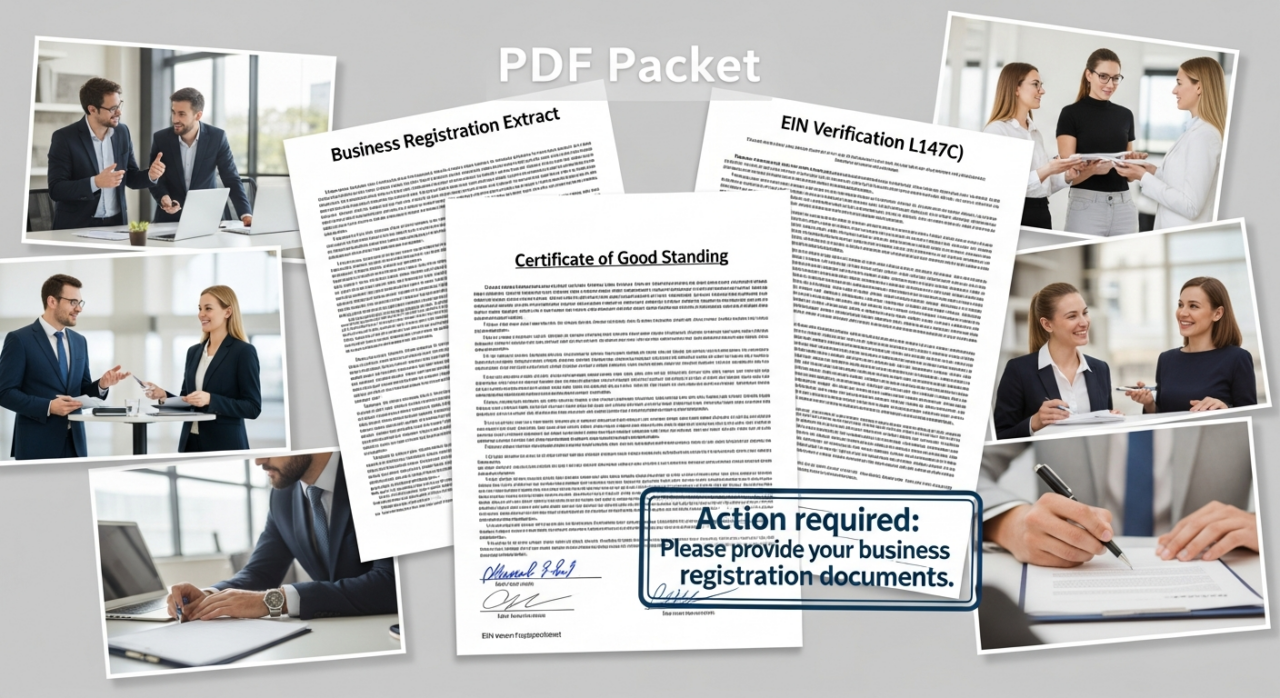
When Amazon asks for a “business registration extract,” they are requesting a single digital file (usually a PDF) that contains three core U.S. business documents. These documents collectively prove your company’s legal formation, good standing, and federal tax status.
The three essential components are:
- Articles of Incorporation (for Corporations) or Articles of Organization (for LLCs)
- Certificate of Good Standing
- EIN Confirmation Letter (IRS Form 147C)
Think of it as creating a verification packet. Some sellers even add a simple cover sheet listing the included documents to make the reviewer’s job easier, which can help speed up your approval.
2. Obtain Your Articles of Incorporation or Organization
This is the foundational document filed with your state to legally create your business. It proves your company exists.

- Where to find it: This document is held by the Secretary of State’s office (or equivalent business filing agency) in the state where your company was formed.
- How to get a copy: Most states have an online business search portal on their Secretary of State website. You can typically search for your company and download a free, uncertified digital copy of your articles directly from the site. If you need a formal certified copy, you can order one through the same office for a small fee, which usually ranges up to $50.
3. Secure Your Certificate of Good Standing
This certificate, sometimes called a Certificate of Status or Certificate of Existence, confirms that your business is compliant with all state requirements and is authorized to operate.
- Who issues it: The same state office that handles your business registration (again, typically the Secretary of State) issues this certificate.
- Check your status first: Before you can get one, your business must be up-to-date on all state fees and required filings, like annual reports. You can usually verify your company’s status on the state’s online business search tool.
- How to request it: You can generally request the certificate online, by mail, or in person. Fees are modest, often between $5 and $50. Many states offer an instant digital download once the fee is paid, which is perfect for this purpose.
4. Get Your EIN Verification Letter (Form 147C)
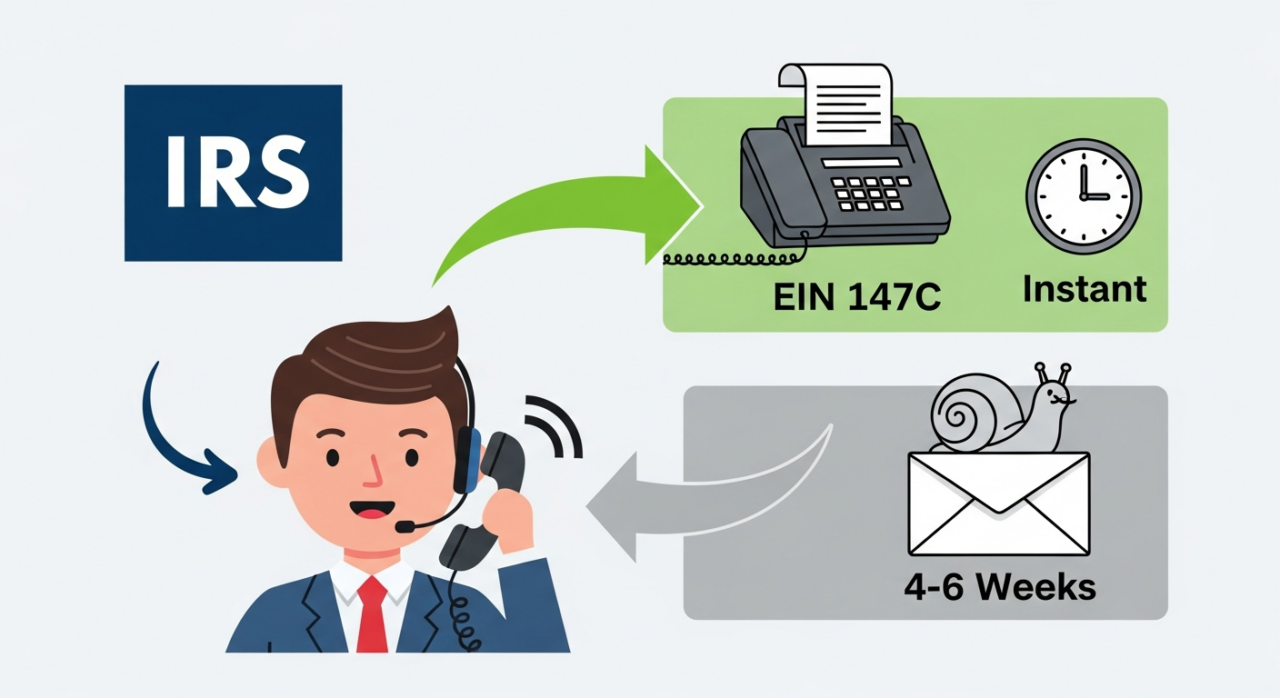
This step often trips sellers up. When you first received your Employer Identification Number (EIN), the IRS sent a letter called a CP 575. The IRS does not reissue this original letter. If you’ve lost it, you must request a 147C letter, which serves as an official verification of your EIN.
- How to obtain it: You must call the IRS Business & Specialty Tax Line at 1-800-829-4933. This is the only way to request the letter; you cannot do it online. The line is open Monday through Friday, from 7 a.m. to 7 p.m. your local time.
- What to expect on the call: An agent will ask you a series of security questions to verify that you are an authorized individual for the business.
- Receiving the letter: Once you are verified, you have two options. You can have the letter mailed, which takes 4-6 weeks, or you can have it faxed immediately while you are still on the phone. The fax option is the fastest way to get the document you need for your Amazon submission.
5. Assemble and Submit Your Final Document
Once you have all three documents in hand, you need to prepare them for submission. Do not upload them as separate files.
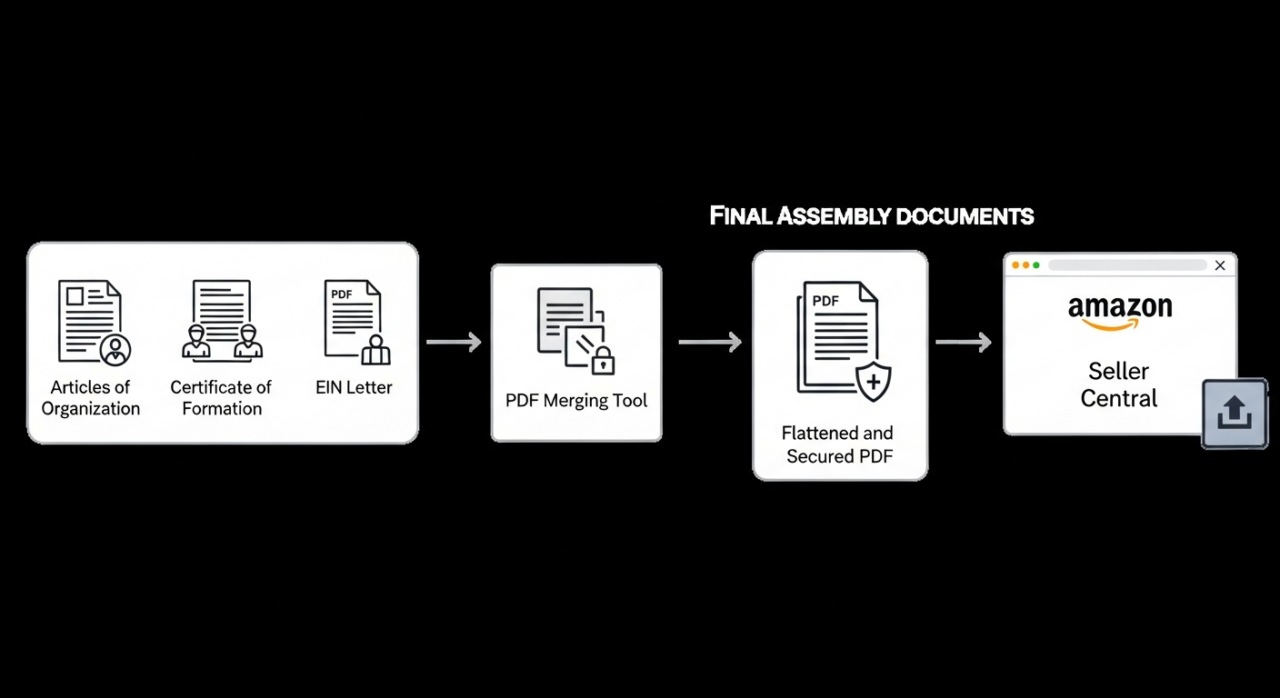
- Combine into a single PDF: Use a PDF tool to merge your Articles of Incorporation, Certificate of Good Standing, and EIN 147C letter into one continuous PDF file.
- Flatten the PDF: This is a critical step. Ensure the final PDF is not editable. This process is often called “flattening” or “printing to PDF” and prevents Amazon’s system from flagging the file as potentially manipulated.
- Upload the complete file: Submit the single, flattened PDF through the verification portal in your Amazon Seller Central account.

YouTube Channel Link: EHP Consulting Group on YouTube
TikTok Profile Link: EHP Consulting Group on TikTok
Written By: Ahzel P. Miral
Email: [email protected]
Website: http://www.ehpconsultinggroup.com
Number: 925-293-3313
Date Written: March 5, 2026