 (925) 293-3313
It’s one of the most common frustrations for a Walmart Marketplace seller: you receive a notification that your listing has been unpublished due to a pricing error. Suddenly, your product is invisible, and sales grind to a halt. This often happens when Walmart’s automated system flags your price as uncompetitive—either too high under the “Reasonable Price Not Satisfied” rule or too low, triggering a general “Pricing Error.”

While jarring, this is a solvable problem. Getting your product back online requires a clear strategy. Here are the proven methods to diagnose the issue, take corrective action, and get your listing republished quickly.
1. The Direct Fix: Manually Adjust Your Price
The most straightforward solution is often the most effective. If Walmart’s system believes your price is uncompetitive, the fastest way to resolve the issue is to adjust it directly within the Seller Center. This is your first line of defense.
To do this, navigate to the “Manage Items” page in your Seller Center dashboard. Find the unpublished item and update its price. A good rule of thumb is to check competitor pricing on and off Walmart to find a more competitive number. Once you’ve entered the new price, save your changes.

Keep in mind that price updates can take up to four hours to process. If the new price satisfies Walmart’s automated checks, your listing should be republished automatically within 48 hours.
2. Justify Your Price: Submit a Competitor Match
What if you believe your price is already fair and competitive? You don’t always have to lower your price. Instead, you can provide Walmart with evidence to justify your current pricing.
You can proactively submit an external price match through the “Listing Quality Dashboard” in the Seller Center. This tells Walmart’s system that your price is in line with the broader market.
Sometimes, Walmart’s system makes a mistake and matches your product against an incorrect or dissimilar item, causing your listing to be unfairly unpublished. You can fight this. From the “Unpublished Items” dashboard, you have the option to dispute an incorrect match. Simply submit the Amazon Standard Identification Number (ASIN) of a truly comparable product to correct the system’s error and validate your price.

3. Work Smarter: Utilize Walmart’s Pricing Tools
Manually adjusting prices one by one isn’t practical if you have a large catalog. Walmart provides powerful tools to help you manage your pricing strategy efficiently and prevent errors before they happen.
For multiple updates, use the bulk update feature. Go to the “Items and Inventories” section and find the “Bulk Updates” page. From there, you can download a specialized Excel template. Simply fill in the SKU and the new price for each item you want to change, and then upload the completed file back to the Seller Center.
For a more automated, long-term solution, set up the Walmart Repricer. Found in the “Pricing” section, this tool allows you to create custom repricing strategies. You can set rules to automatically compete for the Buy Box or to match (or beat) prices on competing websites. Once you create a strategy, assign your SKUs to it, and the Repricer will automatically manage their prices according to your rules, keeping you competitive and your listings active.

4. The Final Step: Contact Walmart Seller Support
If you’ve tried the methods above and your listing is still unpublished after 48 hours, it’s time to escalate the issue. Contacting Walmart Seller Support is your final recourse for stubborn pricing problems.
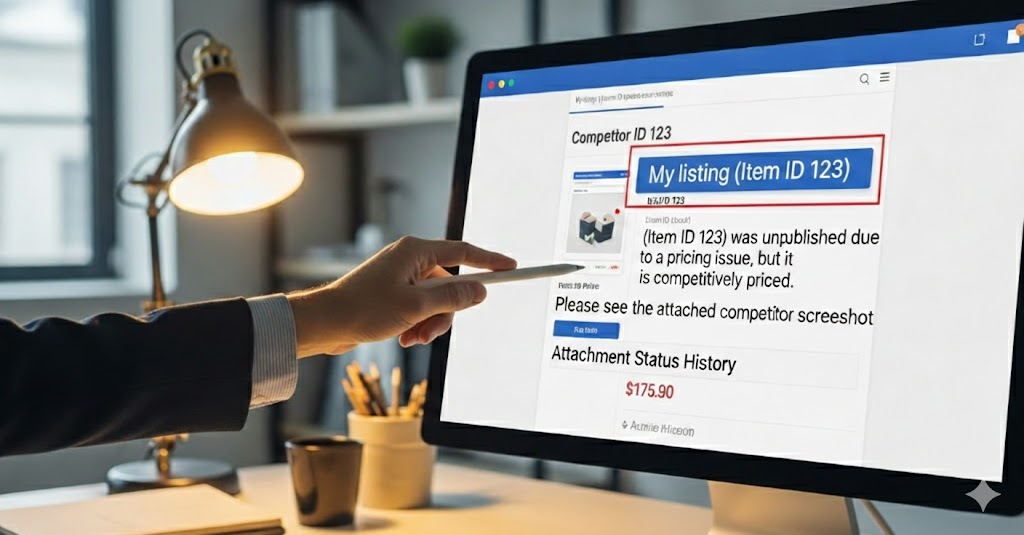
To get help, click the “Help” button in the Seller Center to open a support case. Be as detailed as possible in your request. To ensure a swift resolution, include the Item ID of the unpublished product, its current price, and any supporting documentation you have, such as screenshots of competitor pricing or proof of an incorrect match. A well-documented case makes it much easier for the support team to understand your issue and take action.
YouTube Channel Link: EHP Consulting Group on YouTube
TikTok Profile Link: EHP Consulting Group on TikTok
Written By: Ahzel P. Miral
Email: [email protected]
Website: http://www.ehpconsultinggroup.com
Number: 925-293-3313
Date Written: March 12, 2026