 (925) 293-3313
Your product images are your digital handshake, your silent salesperson, and often the deciding factor between a click and a conversion. But managing these crucial assets on Amazon can feel like navigating a maze. Questions and myths abound: Who uploaded that blurry image on your listing? Can you really spy on your competitor’s sales?
Let’s cut through the noise. At EHP Consulting Group, we know Amazon’s Image Manager is a powerful tool in your Seller Central arsenal, but its capabilities are often misunderstood. By mastering its features and knowing its limitations, you can save time, protect your brand, and take control of your product detail pages. Here’s how.
1. Locate and Master Your Image Hub
Before you can manage your images, you need to know where to find them. The central dashboard for all your product photography lives within Seller Central. To access it, simply navigate to the “Catalog” tab in the main menu and then select “Upload Images.” This is your command center, the Image Manager, where you can upload new photos, view existing ones, and perform the essential tasks we’ll cover next. Make it a regular part of your account maintenance routine.

2. Streamline Your Listings with “Copy to Siblings.”
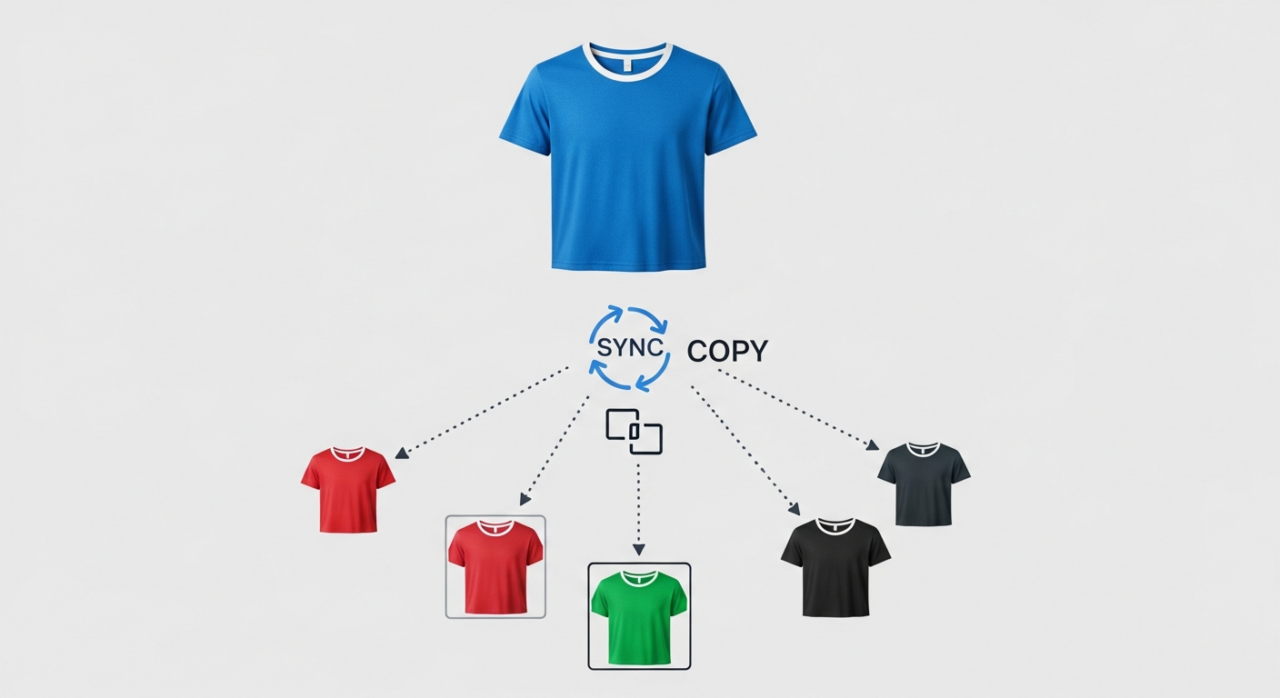
Manually uploading the same set of high-quality images for every product variation is tedious and time-consuming. If you sell a t-shirt in five sizes, you don’t need to perform five separate uploads. The Image Manager offers a powerful shortcut called “Copy media set to siblings.” This feature allows you to upload your image set once for a parent or child product, then instantly copy the entire set to all related variations. This not only saves you countless hours but also ensures visual consistency across your product family, creating a more professional and trustworthy shopping experience that meets Amazon’s detailed image requirements.
3. Identify the Source of Your Listing Images
Have you ever checked your product page only to find a low-quality or incorrect image you didn’t upload? The Image Manager provides a degree of transparency here. When you view the images for a specific product, you can see their origin. If you see an image you don’t recognize, a hover-over icon will give you more information. If another merchant or vendor under your own partner account uploaded it, Amazon will provide the account number and merchant token.

However, it’s crucial to understand the limits. If the image was uploaded by “another selling partner” outside your organization, Amazon will not disclose their identity. While this feature won’t always help you pinpoint a specific “bad actor,” it is an invaluable first step in auditing your listings and identifying which images you need to address to maintain brand control. For a deeper dive into your listing’s health, consider a professional free listing audit.
4. Debunk the Myth of Competitor Sales Data
A persistent rumor suggests that sellers can use Amazon’s tools to see competitor sales figures. Let’s be perfectly clear: this is false. There is no feature within the Image Manager or any other part of Seller Central that allows you to view the sales data or revenue of another seller. Amazon guards this data closely. Sellers seeking competitor intelligence must rely on third-party software tools that provide estimations based on public data points like Best Seller Rank (BSR), not on direct information from Amazon. Don’t waste your time looking for a feature that doesn’t exist.

5. Protect Your Copyright and Take Action Against Theft
Your product photos are your intellectual property. To further solidify this protection, securing a trademark is a critical step, and Amazon’s IP Accelerator program can connect you with trusted law firms to get started. Using images you don’t own the rights to is a direct violation of Amazon’s policy and can put your account at risk. You must either own the copyright to every image you upload or have explicit permission from the copyright holder.
So, what do you do when you find another seller has stolen *your* images? The process is straightforward. Amazon has a dedicated “Report Infringement” form for rights owners. This is the primary and correct tool for reporting the unauthorized use of your copyrighted images.

While some sellers might think of using Project Zero, it’s important to understand its specific purpose. Project Zero is a program designed for brand-enrolled sellers to combat *counterfeits and trademark infringement*. While there can be an overlap, a simple case of image theft falls squarely under copyright infringement. Stick to the official “Report Infringement” form for the most direct and effective resolution.
Beyond the Image Manager
Mastering Amazon’s tools is just one part of a successful strategy. To truly scale your business and protect your brand, you need a holistic approach. We offer comprehensive services to manage every aspect of your seller account. Whether you’re looking for hands-on management or want to deepen your own expertise through our in-depth courses, we’re here to help you succeed. Ready to take the next step? Contact us today..
Need Help Growing Your Sales?
We are here to help you scale.
Stay ahead with the latest tips and trends in online selling:
🎥 YouTube – EHP Consulting Group
📱 EHP Consulting Group
Written By: Janine Alaban
Email: [email protected]
Website: http://www.ehpconsultinggroup.com
Number: 925-293-3313
Date Written: April 1, 2026