 (925) 293-3313
Navigating the Amazon marketplace can feel like learning a new language. With an alphabet soup of acronyms and proprietary terms, it’s easy for new and even experienced sellers to get confused. But mastering this terminology isn’t just about sounding like a pro; it’s about understanding the fundamental mechanics that drive your business’s success on the platform.
Let’s demystify four of the most critical terms every Amazon seller must know: ASIN, SKU, FBA, and FBM. We’ll also break down a powerful strategy that uses these concepts to keep your products in stock and your sales flowing, even when faced with inventory hiccups.
What is an ASIN?
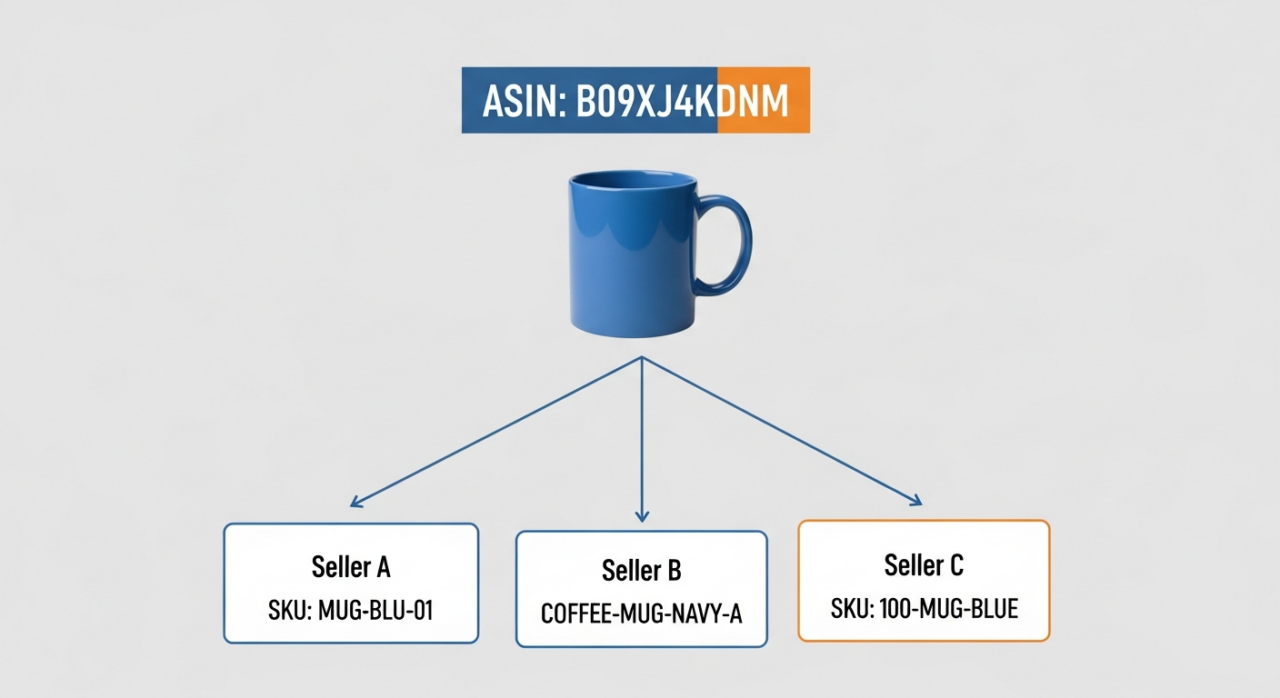
Think of the ASIN (Amazon Standard Identification Number) as a product’s social security number within the Amazon ecosystem. This 10-character alphanumeric code is unique to each product in Amazon’s massive catalog. When a new product is uploaded, Amazon assigns it an ASIN. For books, the ASIN is simply the product’s ISBN. This number is the backbone of Amazon’s catalog, used for everything from indexing products for customer searches to tracking inventory and referencing product page data. Every offer for the exact same product, regardless of the seller, lives under one single ASIN.
What is a SKU?
While an ASIN identifies a product for Amazon, a SKU (Stock Keeping Unit) identifies a product for you, the seller; this is your internal tracking code. You create the SKU, and it can be any combination of letters and numbers that makes sense for your business. A well-structured SKU can tell you a product’s type, color, size, and even its fulfillment method at a glance (e.g., “TSHIRT-BLUE-LG-FBA”). Every unique product variation you sell, including different fulfillment methods for the same item, must have its own unique SKU for accurate inventory management.
What is FBA?
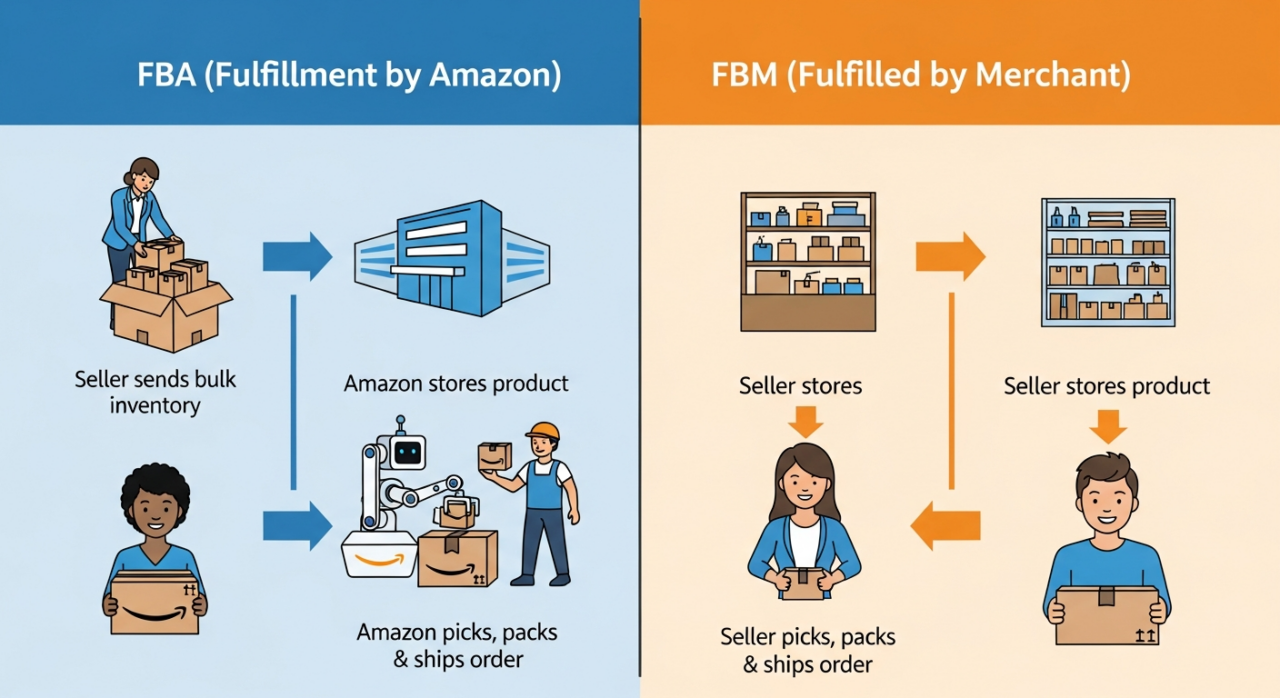
FBA stands for Fulfillment by Amazon. This is the service that makes selling on Amazon a largely hands-off process when it comes to logistics. With FBA, you send your inventory in bulk to Amazon’s fulfillment centers. When a customer places an order, Amazon’s team picks, packs, and ships the product. They also handle customer service and returns for those orders. The biggest advantage? FBA products are automatically eligible for Prime shipping, a massive conversion driver that can significantly boost your sales and visibility.
What is FBM?
FBM, or Fulfilled by Merchant, is the do-it-yourself model. As an FBM seller, you are responsible for the entire fulfillment process. You store your own inventory, pack your own boxes, ship orders directly to customers, and manage all related customer service inquiries and returns. This model gives you complete control over your inventory and fulfillment process, which can be beneficial for oversized items, products with slower turnover, or sellers who already have a robust logistics operation.
The Smart Strategy: Creating FBA and FBM Offers for the Same Product
What if you didn’t have to choose between FBA and FBM? A common and highly effective strategy is to have both an FBA and an FBM offer active for the same product, under the same ASIN.
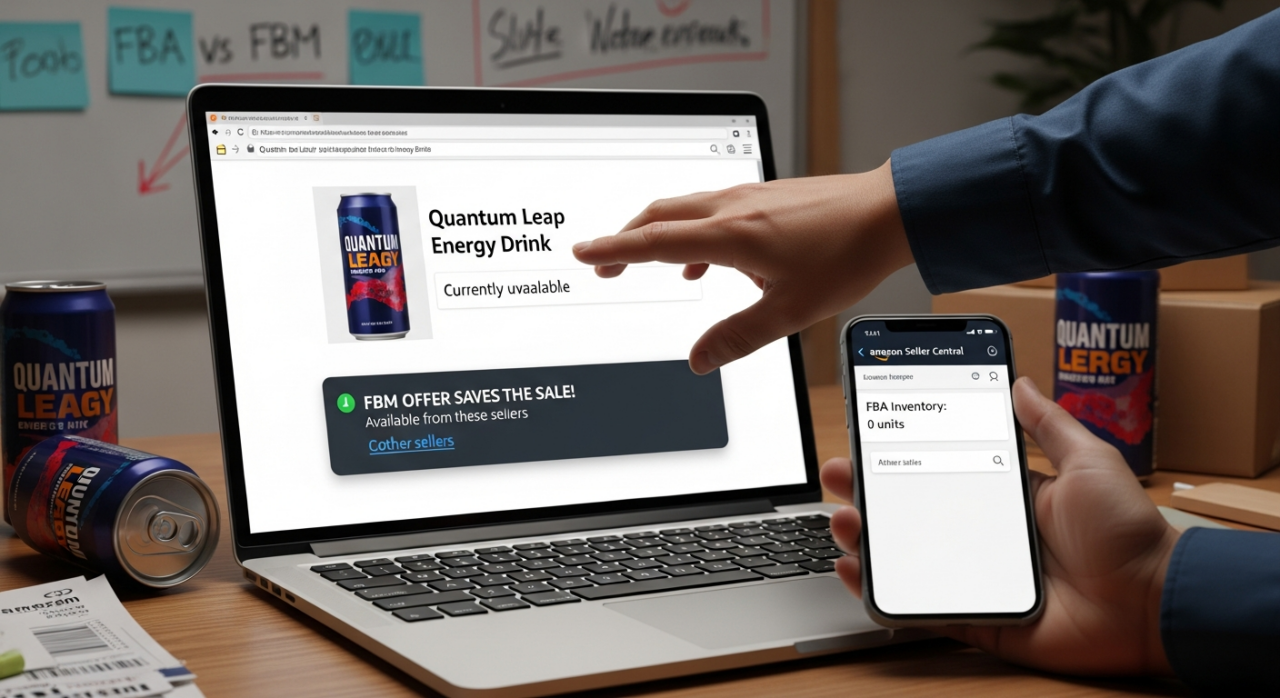
Why would you do this? It’s your ultimate safety net. Imagine your FBA inventory runs out unexpectedly due to a sales spike or a delay in your shipment arriving at the fulfillment center. Instead of your listing showing “Out of Stock” and losing sales momentum, your FBM offer can automatically become the primary option. You can continue fulfilling orders yourself, ensuring you never miss a sale and your product’s sales rank remains stable.
Here’s how to set it up.
1. Navigate to Manage Inventory
Start by logging into your Amazon Seller Central account. From the main dashboard, hover over the “Inventory” tab and click on “Manage Inventory.”
2. Find Your Existing Product
Locate the product for which you want to create a second offer. This would typically be an item you already have listed as FBA and now want to add an FBM backup for, or vice-versa.
3. Add Another Condition
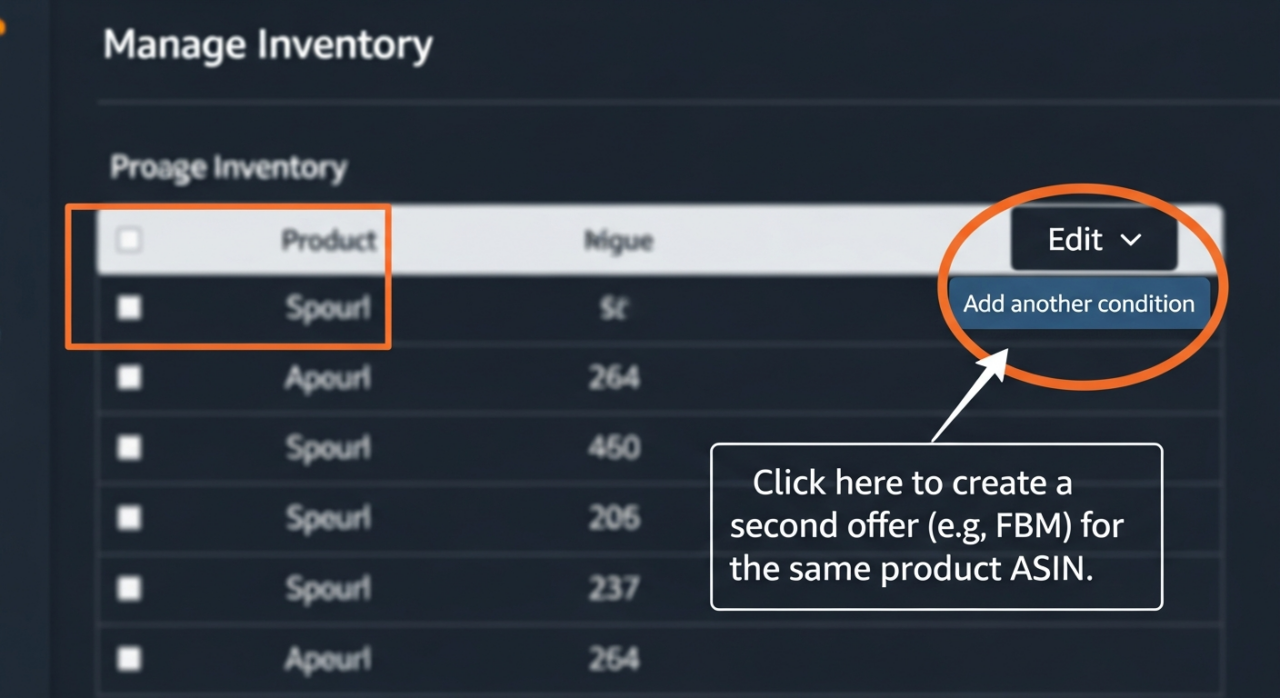
On the right-hand side of the product row, click the dropdown menu next to the “Edit” button. From this menu, select the option “Add another condition.” Don’t worry about the wording; you are not changing the product’s condition (e.g., from “New” to “Used”). This is simply Amazon’s terminology for creating an additional offer for the same ASIN.
4. Create a New, Unique SKU
This is the most critical step. On the offer creation page, you must assign a new SKU. Since each offer needs a unique identifier, you cannot use the same SKU as your existing listing. A simple best practice is to append a suffix. For example, if your original FBA SKU is “WIDGET-001,” you could name your new FBM SKU “WIDGET-001-FBM.” This keeps your internal tracking clean and easy to understand.
5. Set Your Fulfillment Method
Fill out the rest of the offer details, such as price and quantity. At the bottom of the page, you’ll see the “Fulfillment Channel” option. Here, you’ll choose the alternate method. If your original offer is FBA, you will select “I will ship this item myself (Fulfilled by Merchant).” Once you save, you will have two active offers under one ASIN, each with its own SKU and fulfillment method.
How This Affects Your Product Reviews
A common question is how this setup impacts reviews. The great news is that all product reviews are tied to the ASIN, not the seller-specific SKU. Because both your FBA and FBM offers share the same ASIN, they will also share the same product reviews and overall star rating on the product detail page. This consolidates your social proof and benefits both listings.

It’s important to distinguish this from seller feedback, which is tied to the specific seller and the fulfillment experience of an individual order. A customer’s experience with your FBM shipping will reflect on your seller feedback, while an experience with FBA shipping (good or bad) will be handled by Amazon.
YouTube Channel Link: EHP Consulting Group on YouTube
TikTok Profile Link: EHP Consulting Group on TikTok
Written By: Ahzel P. Miral
Email: info@ehpconsultinggroup.com
Website: http://www.ehpconsultinggroup.com
Number: 925-293-3313
Date Written: March 31, 2026