
 (925) 293-3313
You can charge a credit card for Amazon ads if your payment profile still offers a card. The payment profile is the place in the Amazon Ads console that holds your payment methods for ads. To reach it, open the console, go to Administration, then Billing, then the payment settings view.
If a card is offered, Amazon bills it each time your ad spend reaches your credit limit, the amount of spend Amazon lets you build up before it bills you. The limit starts at $50 and climbs to $500, so that can mean several charges a month.
On a seller account we checked this week, Amazon billed for ads seven times in October 2026, and six of those charges were about $500. As far as we can tell from its invoices, that account pays from the money in its seller account and not from a card. Amazon says cards are billed on the same schedule.
Facts checked: November 18, 2026, against Amazon’s own pages and a live Amazon Ads account.
Check whether your account can use a card
Amazon’s help page asks whether some advertisers can still pay with a card as a default payment method, and its whole answer is “Yes.” It does not say which ones.
Amazon’s payment methods page adds that the methods on offer vary by account type, and that an account upgraded to what Amazon calls an Advertiser Account must pay by invoice, a monthly bill paid by bank check or wire transfer. A small group that Amazon contacted in 2026 was told its cards would move to a backup role, and a later section covers them.
So the test is what your own payment profile offers, and the steps below take you to it.
What you need before you start
- The right login. Amazon says only an advertising console administrator or the Seller Central primary account owner can update the payment method.
- The card, with its billing details in front of you.
- The Ads console. This is Amazon’s advertising site at advertising.amazon.com, and Seller Central links to it as “Ads console” in its Marketing menu.
Labels move. Amazon’s help and the live console already disagree on two of them, so if a name below is missing on your screen, look for the nearest match. The names below are the ones we saw.
Set the card as your default payment method
- In the left menu of the Ads console, click Administration, the gear icon.
- Under Billing & Payment, click Billing.
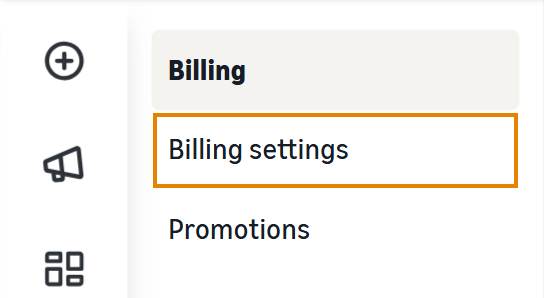
- Open the payment settings view. Amazon’s help calls it the “Payment Settings” tab. On the account we checked it was labeled Billing settings, the second item in the short list at the left of the Billing page.
From here on we are relaying Amazon’s written steps, in Amazon’s order, and we have not seen these screens ourselves. Our login was not the account owner’s, and the Payment profiles section showed “We weren’t able to load your payment details” in place of the profile.
- Click Change payment profile.
- Next to your current default payment method, click Edit.
- Select the credit or debit card option if it is offered. Amazon says that if a payment method is not listed there, your account is not eligible for it.
- Enter the card details and click Save.
Amazon says a new payment method takes effect within 1 hour. If you add a new card, Amazon may place a temporary $50 charge to verify it, which it says is refunded within 7 days.
When the card gets charged
The charge follows your credit limit, the amount of ad spend Amazon lets you build up before it bills you. Your card’s own available credit, which Amazon’s card checklist tells you to check, is a separate thing.
Amazon’s billing help sets out the rules:
- Each time your ad costs reach the credit limit, Amazon issues an invoice and charges the card.
- The limit begins at $50. Each time you reach it and the payment succeeds, it rises to $150, $200, $350 and finally $500. Amazon says some advertisers get more than $500.
- You are charged at least once a month. Spend that never reached the limit is charged on the second day of the next month.
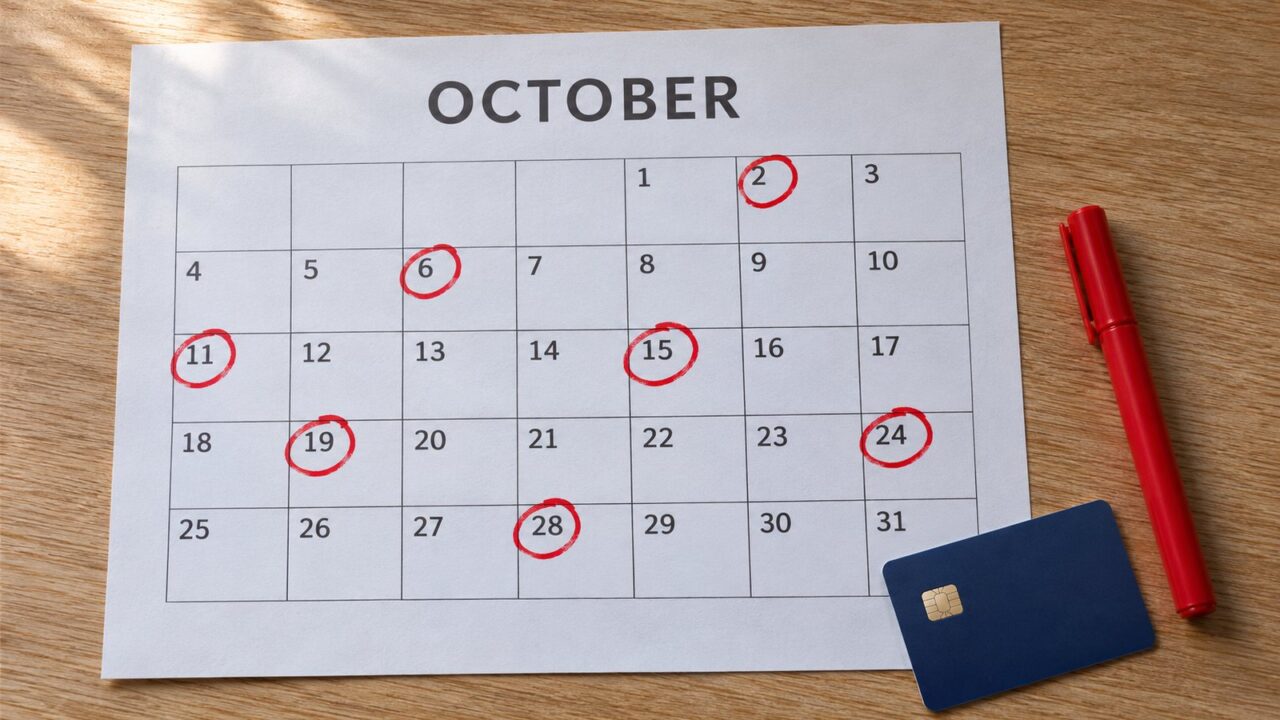
Here is that rule on a real account. On a US seller account we can view, Amazon issued seven ad invoices in October 2026, on the 2nd, 6th, 11th, 15th, 19th, 24th and 28th. Six of them came in a few dollars over $500, never under, which fits an invoice being cut when the running cost reaches the limit. The one dated October 2 was smaller, which we read as September’s leftover spend.
November kept the same pattern.
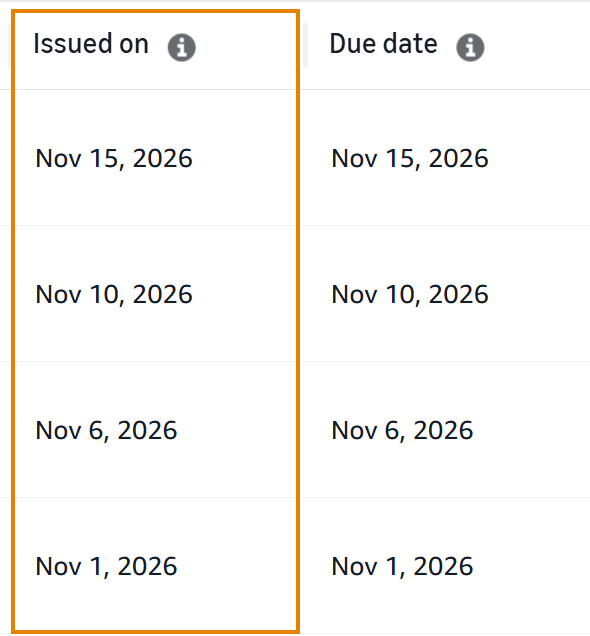
To be plain about it, that account does not pay by card. Every paid invoice we saw on it lists “Seller Payable” as the payment method, which we read as the seller balance. Amazon says balance payments are charged on the same schedule as credit or debit cards. So the rhythm for a card comes from Amazon’s rule, and we have not watched a card being charged.
Here is a made-up month using Amazon’s rules. Your limit is $500, you start the month with nothing unpaid, and your ads spend a steady $110 a day for 30 days.
- $500 divided by $110 is about 4.5, so you reach the limit about every four to five days.
- The month’s spend is 30 times $110, or $3,300. That is six full invoices of about $500, which comes to about $3,000.
- The leftover $300 or so never reaches the limit, so it is charged on the 2nd of the next month.
- Double the spend to $220 a day for a sale week and the limit arrives about every two to three days.
Your card statement shows about seven Amazon Ads charges for that month of ads: six at the limit and one on the 2nd. In our view the count matters more than the total. Seven separate charges are seven chances for a card to be declined. Each charge tracks the whole account’s spend, so none of them lines up with one campaign.
Confirm the change took
Give the update the hour Amazon allows, then open the payment settings view again and confirm that your payment profile shows the card as the default. Amazon says the payment profile is where you view your current default payment method.
Then watch what actually gets charged. On the Billing page, find the Invoices section, click the Paid tab and read the Payment method column on an invoice issued after the change. Amazon’s help calls this place Billing > Documents and says it shows the payment method used for each invoice. We found no view named Documents on the live page. The invoices sit on the Billing view itself.
On the account we checked, every paid invoice read “Seller Payable” in that column. If a later invoice of yours still shows the previous method, check its date against the time you made the change, and contact Amazon Ads support if the mismatch continues.
What goes wrong when a card fails
Amazon’s payment methods page says that if your payment method fails after multiple attempts, your account goes into payment failure status and your campaigns are paused. Amazon lists insufficient funds, expired or incorrect card details and bank restrictions as the usual causes.
Its checklist for a card is short. Confirm that the name, number and expiration date match the physical card. Check that the card has room for the charge. Ask the issuer whether it restricts electronic purchases.
Once you update the payment method, Amazon retries the payment by itself and reactivates the account if it goes through. Amazon says that can take up to 24 hours after a payment failure. Our earlier guide to an invalid payment method on Amazon gives the same first move: fix the card before you touch anything else.
As an example, a card that sits near its own limit could pass five $500 charges and fail the sixth. That earlier guide says to keep more than one card on file, and we still agree with it.
What Amazon changed in 2026, and what it did not
In April 2026, one seller-news headline read “Credit Cards No Longer Work for Amazon Ads.” Amazon’s own pages say something narrower about sponsored ads, the ads sellers run on Amazon itself, such as Sponsored Products and Sponsored Brands.
| The claim | What Amazon’s help page says |
|---|---|
| Nobody can use a card as the default any more | Amazon asks itself whether some advertisers can still pay with a card as a default payment method. Its whole answer is “Yes.” |
| The change hits every advertiser | Amazon’s answer begins: “No, this applies to a small number of sponsored ads advertisers who are being notified directly via email and banners”. |
| Amazon deletes your card | “Cards are not being removed; they’re simply shifting from primary to backup.” That applies to the notified accounts. |
Amazon began notifying the affected group on April 2, 2026, and then deferred the change until August 1, 2026.
If you are in that group, Amazon moves your ad costs to your seller account balance, meaning the funds available in your seller account, and charges the backup card the full invoice when the balance cannot cover it. Your other choice is Pay by Invoice, the monthly bill described earlier, due 30 days after it is issued.
Amazon’s help page also asks whether you can get a default card back, and gives no way to do it. It points to Pay by Invoice. We would not plan around an exception.
Keep the backup card current all the same. Amazon recommends a backup payment method and says it will try the backup without pausing your campaigns. Our related post explains what Amazon can charge when a seller balance runs short.
What to do next
Open the Billing page today and read the Payment method on your latest paid invoice. Then check the expiration date on the card behind it, and count how many days apart your last few invoices were. Use those gaps as a guide for as long as your spending and credit limit stay about the same, and allow for one more charge on the 2nd of the next month if unbilled spend is left over.
If that many charges is more than the card can carry, slow the spend. Our guide to setting a PPC budget cap shows how to put a daily ceiling on it.
Frequently asked questions
Can I still pay for Amazon ads with a credit card?
Some accounts can. Amazon’s help page says some advertisers can still pay with a card as a default payment method, so check whether your payment profile offers one. Amazon’s 2026 change applies to the advertisers it contacted directly, and accounts upgraded to an Advertiser Account must pay by invoice.
How often does Amazon charge my card for ads?
Each time your ad costs reach your credit limit, and at least once a month. The limit starts at $50 and rises in steps to $500. Spend that has not reached the limit is charged on the second day of the next month.
What happens to my Amazon ads if my card is declined?
Amazon says that after multiple failed attempts the account goes into payment failure status and campaigns are paused. Update the payment method and Amazon retries the payment. It can take up to 24 hours for the account to be enabled.
Sources
Amazon pages, read November 18, 2026. We read the help pages inside the signed-in Ads console.
- Update on advertiser payments, Amazon Ads news, April 14, 2026
- Update regarding payment methods, Amazon Ads help
- Payment methods (Sponsored ads), Amazon Ads help
- Update your payment method, Amazon Ads help
- Understand Amazon Ads billing cycles, Amazon Ads help
- Resolve a payment failure, Amazon Ads help
If you would like a second pair of eyes on how your ad account is set up and billed, our advertising setup and audit is a place to start.