 (925) 293-3313
It’s a situation many Amazon sellers face: you’ve built up sales velocity, accumulated valuable reviews, and established a presence, but your brand name on the listing isn’t quite right. Maybe it’s a typo, an old name, or you’ve finally secured your trademark. The thought of starting over with a new listing—and losing all that hard-earned momentum—is daunting.

While Amazon’s official stance is strict, changing a brand name on an existing ASIN isn’t impossible. It all comes down to the nature of the change, your documentation, and your persistence. Here’s how to navigate this tricky process.
1. Understand the Difference: Rebrand vs. Correction
The first and most critical step is to understand how Amazon views brand name changes. In their eyes, there are two distinct categories: fundamental rebrands and simple corrections.
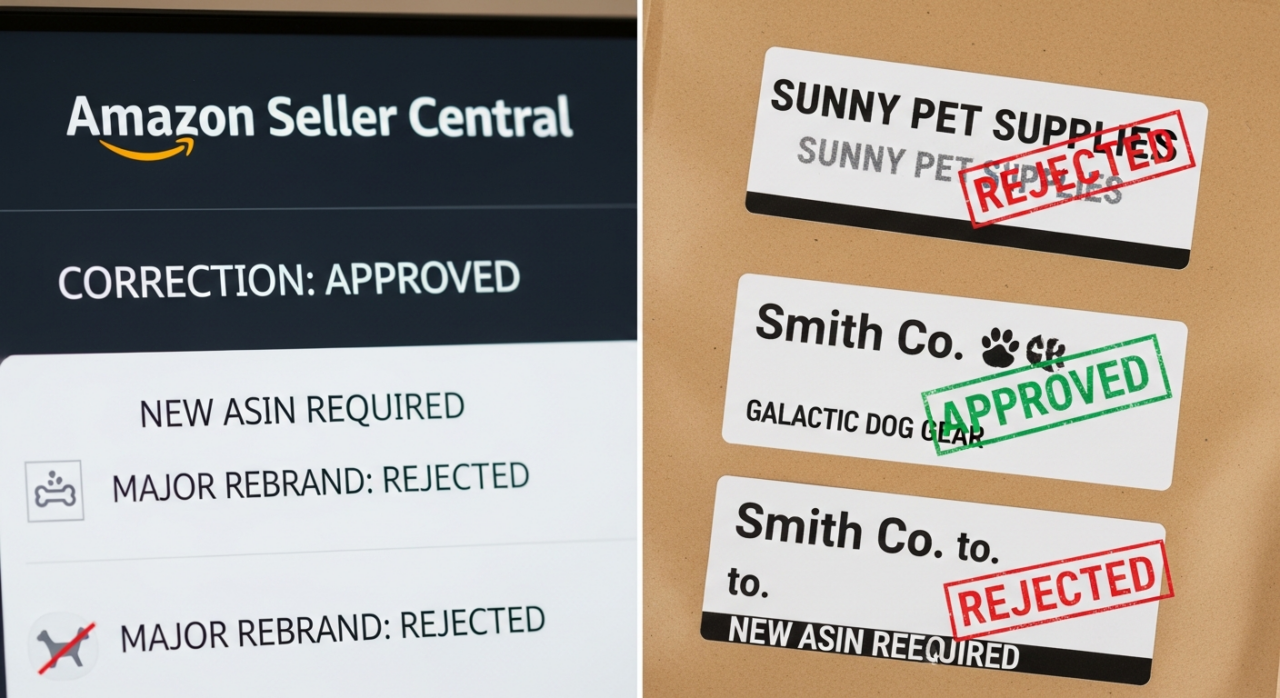
A major rebrand is seen as a fundamental change to the product’s identity. If you’re changing “Sunny Pet Supplies” to “Galactic Dog Gear,” Amazon considers this a new product. Their policy will almost always require you to create a new ASIN. Trying to push this through on an old listing can risk a policy violation.
A minor correction, on the other hand, is viewed as fixing an error. This includes correcting typos (e.g., “Smitth” to “Smith”), fixing capitalization, or updating legal abbreviations (e.g., “LLC” to “Inc.”). These changes clarify the existing brand, and Amazon is far more likely to approve them.
2. Prepare Your Documentation Toolkit
Before you even think about contacting Seller Support, you need to gather irrefutable evidence that proves the brand name you want is the correct one. Going into this process unprepared is a surefire way to get a quick denial. Treat this like building a legal case—the more proof you have, the better.
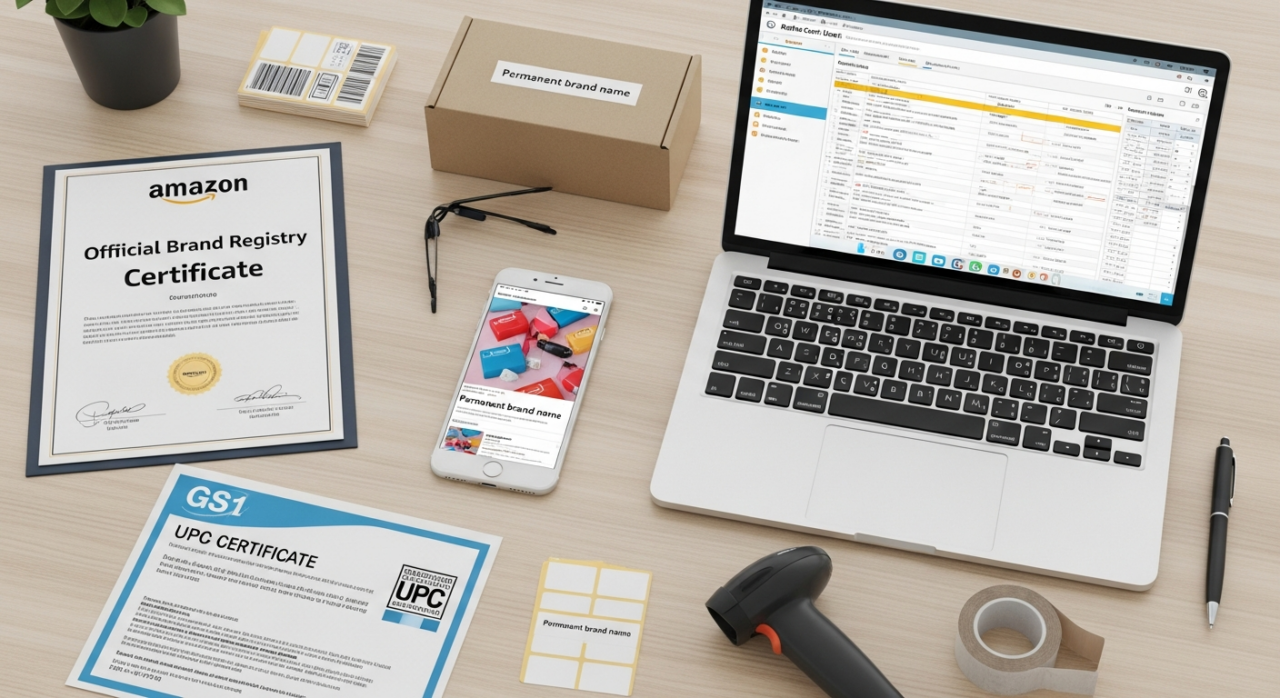
Essential Evidence:
- Amazon Brand Registry: Being enrolled in Brand Registry is your most powerful tool. It requires an active registered trademark and signals to Amazon that you are the legitimate brand owner.
- Real-World Product Photos: Take clear, high-resolution photos of your product and its packaging from all sides. The brand name must be permanently affixed (not a sticker) and clearly visible. Some sellers even suggest including your hand in the photo to prove the image is recent and not digitally altered.
- GS1 Certificate and UPC Proof: Your GS1 certificate directly links your UPC to your brand name, providing powerful, third-party validation of ownership.
Supporting Evidence:
- Your official trademark certificate.
- A link to your manufacturer’s or brand’s website showing the product with the correct brand name and UPC.
- A formal letter on company letterhead from the manufacturer or a company executive confirming the correct brand name.
3. Frame Your Request Correctly
How you word your request to Seller Support can make all the difference. Avoid using the phrase “rebrand” or “I want to change my brand name.” This will likely trigger an automatic rejection based on Amazon’s policy against rebranding existing ASINs. For a visual guide on navigating these policies, watch this video.
Instead, frame your issue as a “catalog error” or a “listing mismatch.” Your position should be that the current brand name on the listing is factually incorrect, and you are providing the evidence needed to fix it.
4. Open and Escalate Your Case
With your evidence gathered and your messaging prepared, it’s time to act.
Start by opening a case through Seller Central. Clearly and concisely state the problem: “The brand name on ASIN [Your ASIN] is incorrectly listed as [Old Name]. The correct brand name is [New Name], as proven by the attached documentation.” Attach all of your evidence.
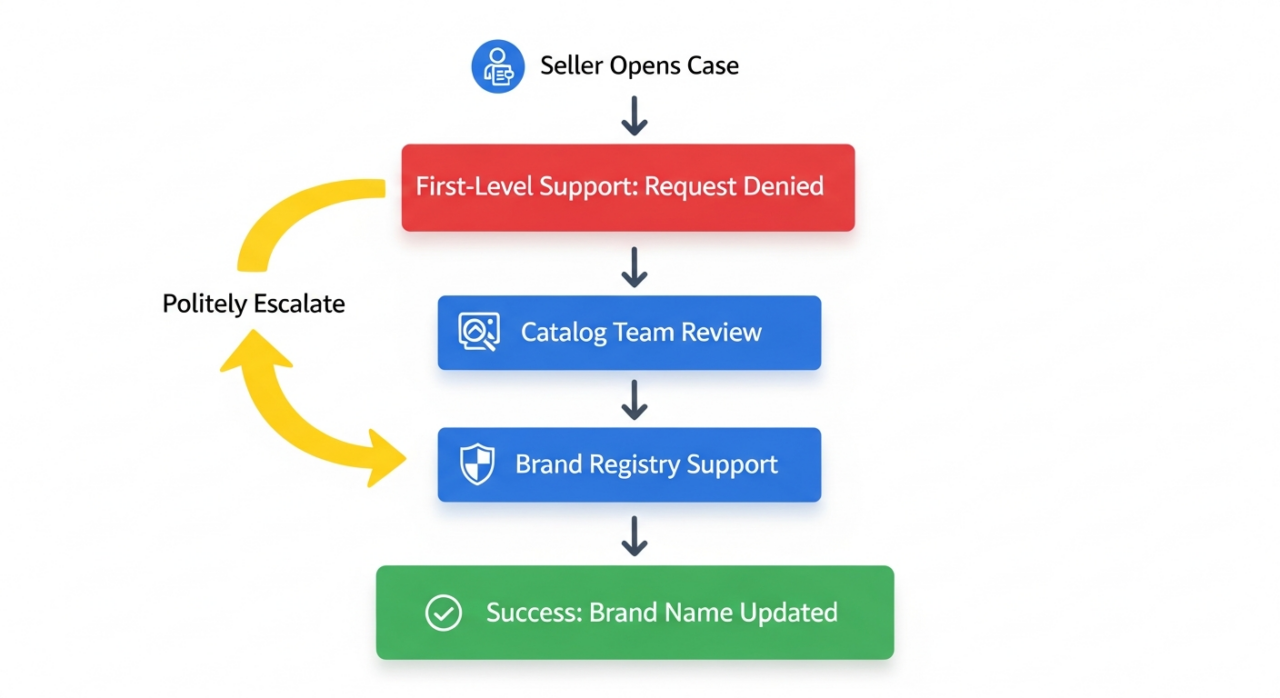
Don’t be discouraged if the first-level support representative denies your request. They often follow a strict script. This is where persistence is key. Politely request that your case be escalated to a more specialized team. The teams with the authority to make these changes are often the Catalog team, the Captive team, or Brand Registry support. You may need to reopen the case or follow up multiple times to get it in front of the right person.
5. Manage Your Expectations
This is not a quick fix. The entire process, from opening a case to seeing the change go live, can easily take 30 to 60 days. Success is never guaranteed and often depends on the specific Amazon representative who handles your escalated case.
Even the challenging “Generic” to a registered brand name change, while officially against policy, can sometimes succeed if you present a compelling case about a catalog mismatch. Ultimately, your success hinges on having airtight documentation and the tenacity to see the process through multiple levels of Amazon support. If you’re navigating this complex process and need professional guidance, consider exploring our expert services or getting a free listing audit to ensure your brand is correctly represented. For any direct questions, feel free to contact us.
YouTube Channel Link: EHP Consulting Group on YouTube
TikTok Profile Link: EHP Consulting Group on TikTok
Written By: Jhan Rose Magbanua
Email: info@ehpconsultinggroup.com
Website: http://www.ehpconsultinggroup.com
Number: 925-293-3313
Date Written: May 3, 2026