
 (925) 293-3313
You’ve done the work. You’ve set up your Amazon Sponsored Product campaign, perfected your keywords, and set your bids. You’re ready for the sales to start rolling in, but when you check your campaign manager, you see that dreaded status: “Ineligible.” It’s a frustrating and common roadblock for sellers, but it’s almost always fixable.

This status simply means your product offer doesn’t meet Amazon’s advertising criteria at this moment. The reasons can range from a simple inventory issue to a more nuanced policy violation. Before you can get your ads running, you need to diagnose and solve the underlying problem. Let’s break down the most common reasons why your ad offer might be ineligible and the exact steps you can take to fix it.

1. You Aren’t Winning the Buy Box
This is the most frequent reason for Sponsored Product ad ineligibility. To advertise a product, your offer must be the one featured in the Buy Box (also known as the “Featured Offer”). If another seller has the Buy Box for that ASIN, or if no one does, your ads for that specific product will not be shown to customers. Amazon wants to ensure that when a customer clicks a paid ad, they are taken to the best available offer.
2. Your Listing is Suppressed or Inactive
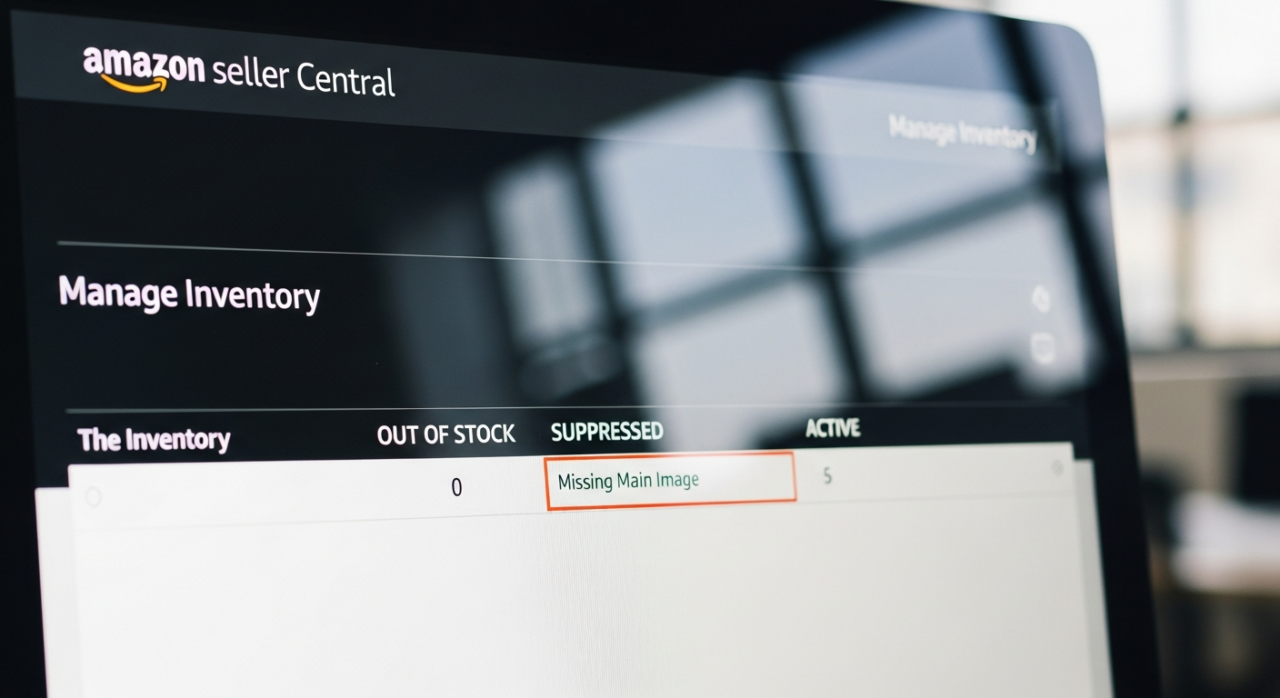
Your ads are directly tied to the health of your product listing. If your listing is suppressed by Amazon due to missing information (like images, bullet points, or brand name) or contains incorrect details, it cannot be advertised. Similarly, if you have manually set the listing to “Inactive” or “Closed” in your inventory management, the system will prevent any associated ads from running.
3. The Product is Out of Stock
This one is straightforward: you can’t advertise a product that customers can’t buy. Amazon’s system automatically pauses ad delivery for any product offer that has zero available inventory. As soon as your product is back in stock and available for purchase, your ads will typically become eligible to run again automatically.
4. You’re in a Restricted Product Category
Amazon has strict policies regarding which product categories are eligible for advertising. If your product falls into a restricted category, your ads will be deemed ineligible. This often includes used or refurbished products, as advertising is primarily focused on new items. Be sure to review Amazon’s advertising policies to confirm your category is permitted.
5. The Product is Classified as an ‘Adult Product’
Products classified as adult items are subject to heavy advertising restrictions. Items like sex toys or sexually graphic novelty products are generally prohibited from being advertised. Even for products that are borderline, such as certain apparel or wellness items, using sexually suggestive language or imagery in the listing can trigger the “adult” classification and make your ad ineligible.
6. Your Ad Violates Content Policies
Beyond specific category rules, all ads must comply with Amazon’s general content and product acceptability policies. Your ad must be suitable for a general audience and accurately represent the product on the landing page. If your ad creative or the linked product detail page contains prohibited content, it will be marked as ineligible.
7. Diagnose the Root Cause
Your first step is to investigate why your ad is ineligible. Navigate to your Campaign Manager within the Amazon Advertising console. Often, Amazon will provide a specific reason right there in the dashboard, such as “Not in Buy Box” or “Not Approved.” This clue will guide your next actions and save you from guessing what needs to be fixed.

8. Audit Your Listing Keywords and Content
If the issue seems to be a policy violation, particularly for products that could be misconstrued as “adult,” perform a thorough audit of your listing’s text. Scrutinize your title, bullet points, and product description. Remove any potentially problematic words like “sexy” or “intimacy.” Shift the tone to be more clinical or technical, focusing on features, materials, and benefits rather than suggestive outcomes.
9. Review Your Product Images
Images are a critical part of your listing and are heavily scrutinized by Amazon’s approval systems. Ensure all of your product images are compliant with policy. Avoid any imagery that could be considered sexually explicit, suggestive, or otherwise inappropriate for a general audience. The images should clearly and accurately represent the product being sold.
10. Verify Your Product Category
Sometimes, a product is simply listed in the wrong category, which can cause it to be flagged. Double-check that your product is placed in the most accurate and appropriate category available. If you are in a category that is ineligible for advertising, you will need to find the correct, eligible category for your product to run ads.
11. Analyze Your Competitors
A great way to understand what Amazon deems acceptable is to look at what’s already working. Find competitors selling similar products whose ads are running successfully. Analyze their product titles, descriptions, and imagery. This is not about copying them, but about understanding the type of language and presentation that consistently gets approved within your niche.
12. Contact Amazon Advertising Support
If you have tried everything and still can’t get your ads approved, it’s time to contact the experts. Amazon Advertising Support is a separate team from general Seller Support and is specifically equipped to handle these issues. You can find a “Contact Us” link in the Amazon Ads Support Center. Create a case, provide the ASIN and campaign details, and politely ask for the specific reason your ad offer is ineligible. They can provide the clarity needed to make the final, necessary changes.

Need Help Growing Your Sales?
We are here to help you scale.
YouTube Channel Link: EHP Consulting Group on YouTube
TikTok Profile Link: EHP Consulting Group on TikTok
Written By: Ahzel P. Miral
Email: info@ehpconsultinggroup.com
Website: http://www.ehpconsultinggroup.com
Number: 925-293-3313
Date Written: July 14, 2026