
 (925) 293-3313
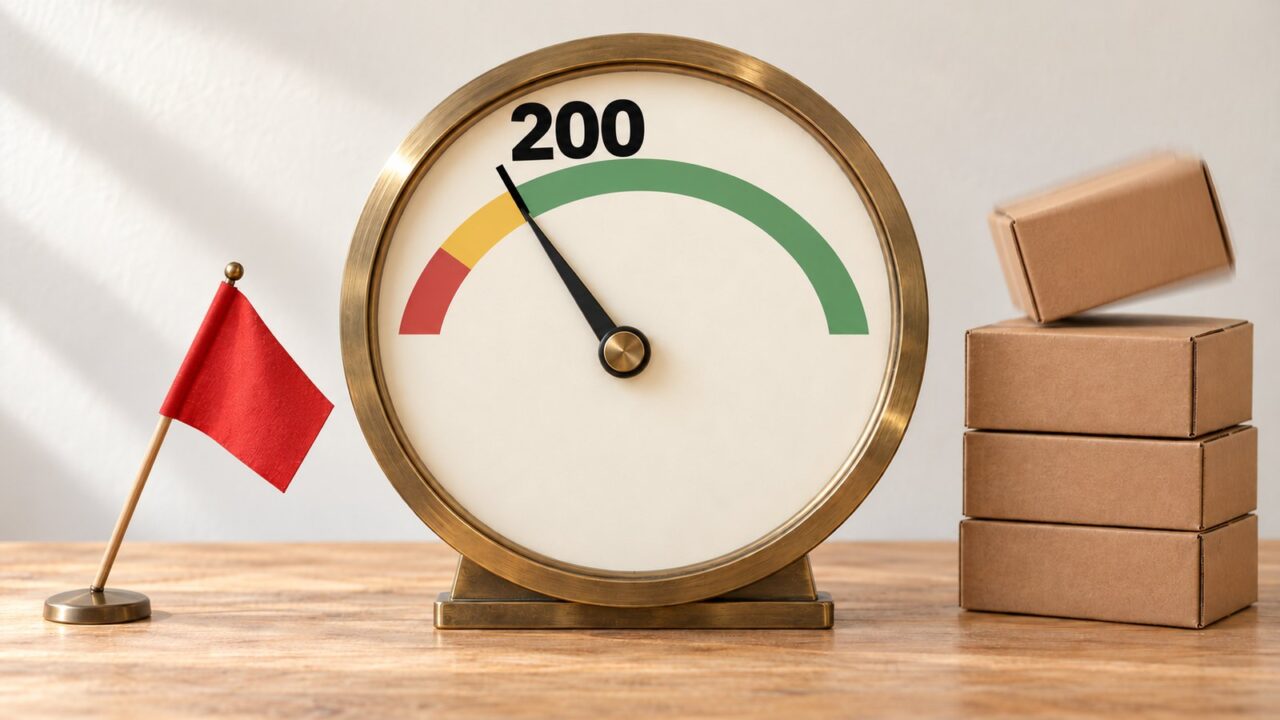
Amazon does not show you the points behind your Amazon Account Health Rating. Its help pages do say what earns them: clearing the violations on your Account Health page, fulfilling orders and, if you ship your own orders, meeting three customer service standards. Start with the violations, because one critical violation sets the score to zero.
What moves your Account Health Rating
Your Account Health Rating, or AHR, is a score from 0 to 1,000 that shows how close your selling account is to deactivation for breaking certain Amazon selling policies. It sits on the Account Health page in Seller Central, Amazon’s site for sellers.
Amazon splits the score into three colored bands, from the bottom up:
- Red, “Unhealthy”: 99 or lower. The account can be deactivated, or already has been.
- Yellow, “At Risk”: 100 to 199.
- Green, “Healthy”: 200 and up, to 1,000.
The line that matters most is 200, where yellow turns green.
Amazon’s FAQ spells out the math. Every new seller starts at 200. A new policy violation typically costs two to eight points, by severity, and a critical violation drops the score to zero.
Breaking the same policy again costs more, sometimes double. Every 200 successful orders in the last 180 days adds four points. Amazon does not show these values on the page and says the formula may change.
By that math, reaching 1,000 on orders alone would take 40,000 successful orders in 180 days. Watch 200 instead.
Take a made-up seller with 1,000 successful orders in the last 180 days: five blocks of 200, worth 20 points. They also have three open low or medium violations, which at the typical two to eight points each cost 6 to 24. Start at 200, add 20 and subtract 6 to 24: they land between 196, At Risk, and 214, Healthy.
The page shows them one number, not which violation or order block put it there. One cleared violation or one more block of 200 orders could carry them over the line.
Whatever the score, Amazon can still deactivate an account at once for suspected fraud or other harmful activity, or for breaking a policy outside the AHR.
Step 1: Clear the violations that are costing you points
Open the Account Health page and check it daily. The rating sits in the Policy Compliance panel, and below it a list headed All Issues groups your violations by type. On the account we checked on October 24, 2026, it ran to ten types; the first five are shown here.
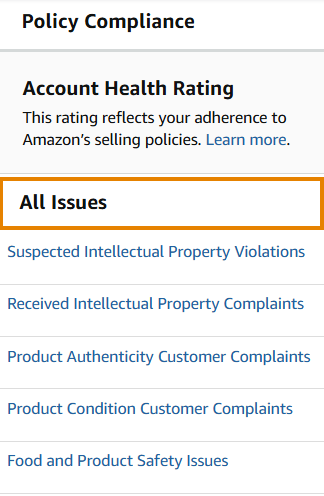
Each violation has a severity: critical, high, medium or low. Items marked “No impact” do not change the score for now. Work from the most serious down, as Amazon asks.
Our order of work: anything critical first, because it has a three-day clock. Next, the issue type with the highest count, because repeats of one policy cost more each time and can end in a critical violation. If several violations trace back to one product, fix that listing before you write a single appeal.
A critical violation turns the rating red at zero and gives you three days to address it before the account is deactivated. An Account Health specialist may call during those days, so keep the emergency contact number in your notification settings current.
Closing or deleting the listing does not clear a violation. Within 180 days, five repeats of an infringement-related policy, such as intellectual property, or two of a restricted products policy create a critical violation. The panel we checked did not mark repeats, so keep your own count.
Dispute or appeal
If a violation makes no sense to you, ask before you write. Professional sellers can use the “Contact us” or “Call me now” button on the Account Health page. We call first because, as our reinstatement guide says, “Sometimes they will give you the exact information you’re missing.”
Dispute when Amazon got it wrong: open the violation, follow the guidance under “Next steps” and send evidence that it was detected in error. If you have that evidence, dispute rather than appeal, because an appealed violation can still count toward the repeat cap.
Appeal when the problem was real but unintended. Own the mistake in the first person (“My business failed to…”), not “we,” and keep it plain, since a confusing appeal brings more requests for information. Our appeal guide walks through the writing.
A successful case reverses the violation and its points, and the rating updates within a few hours of Amazon confirming it. In one account we handled, earlier appeals over suspected intellectual property violations had all been rejected for lack of new evidence and attachments. We resubmitted with authorization letters, invoices, trademark searches and proof the flagged listings were removed, and the account was reinstated, so send the proof the first time.
Step 2: Keep orders flowing through the 180-day window
Orders are the one lever that needs no case with Amazon: “Your AHR will increase as you successfully fulfill orders.”
The window works both ways. As orders pass 180 days, their points drop off, so a busy-season peak that ages out can pull the score down with no new violation. Old violations can leave the same way, 180 days after they were added.
What to do this week:
- Count your successful orders for the last 180 days and divide by 200. Each whole block is worth four points. Count whole blocks only; Amazon does not say how a part block counts.
- Find your busiest month and write down the date six months later. That is when its order points start to fall away.
- If your score is only a few points above 200, schedule your Step 1 work to finish before that date. For the made-up seller above, falling from 1,000 to 800 orders costs four points, enough to pull a 202 down to 198.
Step 3: If you ship your own orders, meet the three customer service standards
If you fulfill orders and answer buyers yourself, known as Fulfilled by Merchant or FBM, three customer service measures can add up to 12 points, per Amazon’s Seller News (its announcements to sellers) of September 4, 2026. Near 200, that can decide your side of the line: it would lift the made-up seller’s worst case, 196, to 208. If Amazon handles customer service for your orders, your points come from Steps 1 and 2.
Check your results in Feedback Manager, the Seller Central page for buyer feedback, under Customer Service Quality Insights: the past four weeks, updated daily. It shows N/A to sellers the measures do not cover. On October 24, 2026, our Account Health page called the points an experiment, so not every account may have them yet.
| Measure | What it counts | Target |
|---|---|---|
| Buyer Contact Rate | Buyer contacts asking for a refund or replacement because of a product, fulfillment or shipping problem, divided by items shipped. Change-of-mind contacts are left out. | Below 0.50% |
| Average Contact Response Time | The average time you take to answer buyer messages | Under 12 hours |
| Buyer Dissatisfaction Rate | Survey answers rating your customer service 1 or 2 out of 5, divided by surveys sent for resolved cases | Below 4.5% |
The first standard is strict. In Amazon’s own example, one contact on 10 items shipped is a 10% Buyer Contact Rate. Staying below 0.50% means fewer than one such contact for every 200 items you ship.
Weak results cost you nothing; Amazon’s FAQ says they will not restrict your selling privileges.
- Answer every message fast. A buyer who gets no reply within 48 hours can file an A-to-z Guarantee claim, a formal complaint to Amazon about the order.
- Fix the reasons buyers write in. Amazon lists three: a problem with the item, such as damage; with fulfillment, such as a late arrival; or with your earlier replies. Better replies help, but two of the three are about the order itself.
- Close each case properly. Amazon sends the satisfaction survey on resolved cases.
Check that the score moved
The number on the page is a net figure, so read any change against what you did:
- It rose a few hours after Amazon confirmed a fix: that violation’s points came back.
- It fell with nothing new on the list: a batch of orders has probably passed 180 days.
- It rose with nothing done: an old violation may have aged out.
Near the 200 line, the date your busiest month ages out belongs on the calendar next to your open cases.
Frequently asked questions
Does my Order Defect Rate count toward the Account Health Rating?
Not as an input. On the Account Health page it sits in a separate Customer Service Performance panel, and Amazon’s list of policies included in the AHR has no order or shipping performance policy. It still matters: Amazon’s Seller News of August 31, 2026 says an FBM offer that puts account health at risk can be temporarily deactivated. Our guide shows how to check your Order Defect Rate.
My account was deactivated because of the AHR. How do I get it back?
Appeal or dispute the open violations on the Account Health page. Amazon says the account is reinstated once the score returns to 100 or higher. While it is deactivated for AHR, its violations stay on the page instead of aging out after 180 days.
Sources
Amazon Seller Central help for US sellers, checked October 24, 2026 (some links ask you to sign in): Account Health Rating program policy, Account health rating FAQ, Policies included in Account Health Rating, Customer Service Quality Insights on Feedback Manager and its FAQ. The 12-point figure is from Amazon’s Seller News of September 4, 2026, which we repost with Amazon’s permission.
If you sit near the 200 line and are unsure which violation to tackle first, our Amazon account audit reviews your account health and customer feedback and gives recommendations.